
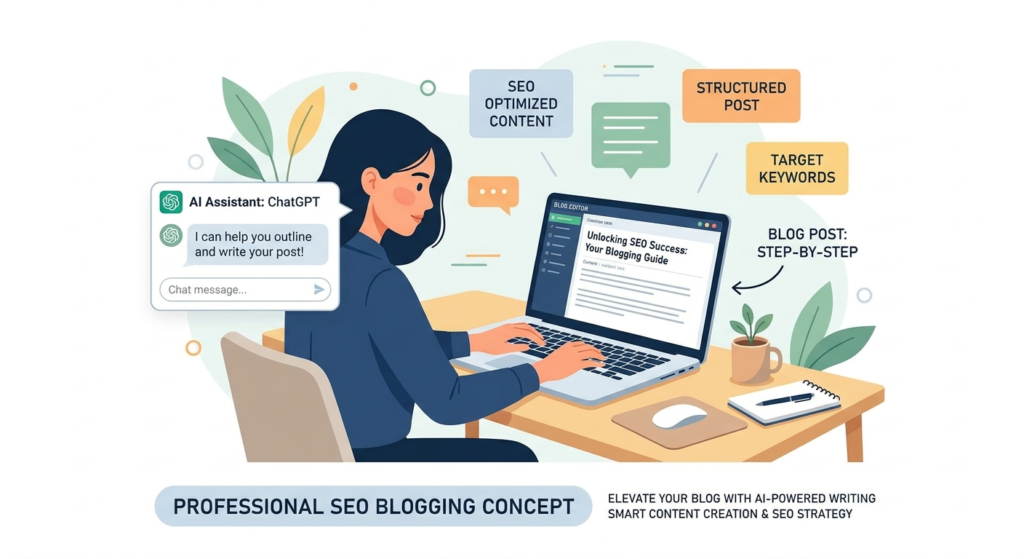
How to write blog posts with ChatGPT is one of the smartest ways to create SEO-friendly content faster in 2026. But simply generating content with AI is not enough if you want rankings on Google.
Have you ever spent hours writing a blog post only to get almost no traffic?
You publish the article, wait for days, maybe weeks, and then check analytics… nothing exciting happens.
That is exactly where many bloggers struggle.
The truth is simple: publishing content is easy, but publishing rank-worthy content is hard.
Now here is the good news.
Tools like ChatGPT can dramatically speed up writing and help you create better content—but only if you use them correctly.
Many beginners make one huge mistake.
They ask ChatGPT:
“Write a blog post about SEO.”
Then they copy, paste, publish, and wonder why rankings never come.
Google is smarter now.
Search engines prefer content that feels useful, experience-based, trustworthy, and genuinely helpful to readers. Thin AI-generated articles rarely survive long-term rankings.
So the real question is not:
“Can ChatGPT write blog posts?”
The better question is:
Can ChatGPT Write Blog Posts That Actually Rank?
Short answer:
Yes—but only if you know how to guide it properly.
Think of ChatGPT as a very smart assistant, not a replacement for strategy.
Imagine hiring a junior writer.
If you say:
“Write something about blogging.”
You will probably get generic content.
But if you say:
“Write a beginner-friendly, SEO-optimized article about blogging in 2026 with examples, FAQs, and ranking tips.”
The quality instantly improves.
ChatGPT works the same way.
The better your instructions, the better your article becomes.
This is why prompt quality matters so much.
If you want to learn prompt writing for SEO content, check this guide:
In this guide, you will learn:
- How to use ChatGPT for SEO blogging
- Mistakes that stop blog posts from ranking
- The exact workflow smart bloggers use
- Prompts that generate better content
- How to make AI-written blogs sound human
- Ways to optimize for Google rankings in 2026
By the end, you will know exactly how to create blog posts with ChatGPT that people actually read—and search engines actually rank.
Why Most AI Blog Posts Never Rank
Before learning the right method, you must understand why most AI content fails.
This is where many bloggers lose traffic.
Here are the biggest reasons.
1. Generic Content
Most people ask ChatGPT simple questions like:
“Write an article about digital marketing.”
The result?
Boring, generic content.
No originality.
No personal touch.
No useful examples.
No clear search intent.
Google prefers content that helps users solve real problems.
Generic articles often sound repetitive and predictable.
Readers leave quickly.
That hurts rankings.
2. No Search Intent Optimization
One of the biggest ranking mistakes is ignoring search intent.
Search intent simply means:
What the reader actually wants.
For example:
Someone searching:
“How to write blog posts with ChatGPT”
is likely looking for:
- Step-by-step guidance
- SEO tips
- Writing prompts
- Real examples
- Blogging workflow
If your article becomes too broad or unrelated, rankings suffer.
Good content solves the exact problem users searched for.
3. Poor Structure
Ever opened a blog post that looks like one giant wall of text?
Most people immediately leave.
Good blog posts are easy to scan.
That means:
- Short paragraphs
- Clear headings
- Bullet points
- FAQs
- Examples
- Actionable advice
This improves readability and helps featured snippet visibility.
4. No Human Experience
Google rewards useful content.
Experience matters.
Instead of writing:
“Blogging is important.”
Write something like:
“When I started experimenting with AI writing tools, I noticed something interesting—posts written without structure rarely ranked, but articles built around search intent performed much better.”
Even simple experience-based storytelling makes content feel real.
That increases trust.
What Google Actually Wants in 2026
Many bloggers still think SEO means:
Add keywords everywhere.
That strategy is outdated.
Modern SEO focuses on:
Helpful Content
Google rewards content that answers questions clearly.
Ask yourself:
Will this article genuinely help someone?
If yes, you are already ahead of many websites.
EEAT Signals
Google looks for:
- Experience
- Expertise
- Authoritativeness
- Trustworthiness
That means:
Show examples.
Add real insights.
Use trusted sources.
Explain things clearly.
For example, learning content strategy from trusted organizations like Google Search Central helps you understand how helpful content works.
User Experience
Google also observes behavior.
Questions like:
- Did people stay on the page?
- Did they find value?
- Did they bounce immediately?
matter more than ever.
That is why readability matters.
Step 1: Start With Keyword Research Before Writing
Here is a mistake beginners make:
They open ChatGPT first.
Wrong move.
Before writing anything, you need a keyword.
Because ChatGPT writes.
SEO strategy ranks.
Ask yourself:
What exactly are people searching for?
Example keyword ideas:
- How to write blog posts with ChatGPT
- ChatGPT SEO writing tips
- Best ChatGPT prompts for blogging
- AI blogging strategy 2026
- How to rank blog posts with ChatGPT
You can research keywords using tools like:
The goal is simple:
Find a keyword with:
- Good search demand
- Clear intent
- Ranking opportunity
Then build your content around it.
Step 2: Give ChatGPT Better Instructions
Here is where smart bloggers win.
Bad prompt:
Write a blog post about ChatGPT blogging.
Good prompt:
Write a beginner-friendly, SEO-optimized blog post on how to write blog posts with ChatGPT that rank on Google. Include examples, FAQs, headings, short paragraphs, featured snippet optimization, conversational tone, and actionable tips.
See the difference?
Specific prompts create better output.
If you want a detailed tutorial on creating blog content with ChatGPT, read:
Formula for Better Prompts
Use this structure:
Topic + audience + tone + structure + SEO requirements + examples + CTA
Example:
Write a 2500-word beginner-friendly blog post on ChatGPT SEO writing. Use H2/H3 headings, conversational tone, FAQs, examples, LSI keywords, short paragraphs, and optimize for featured snippets.
This alone improves content quality massively.
Step 3: Build a Ranking-Friendly Outline First
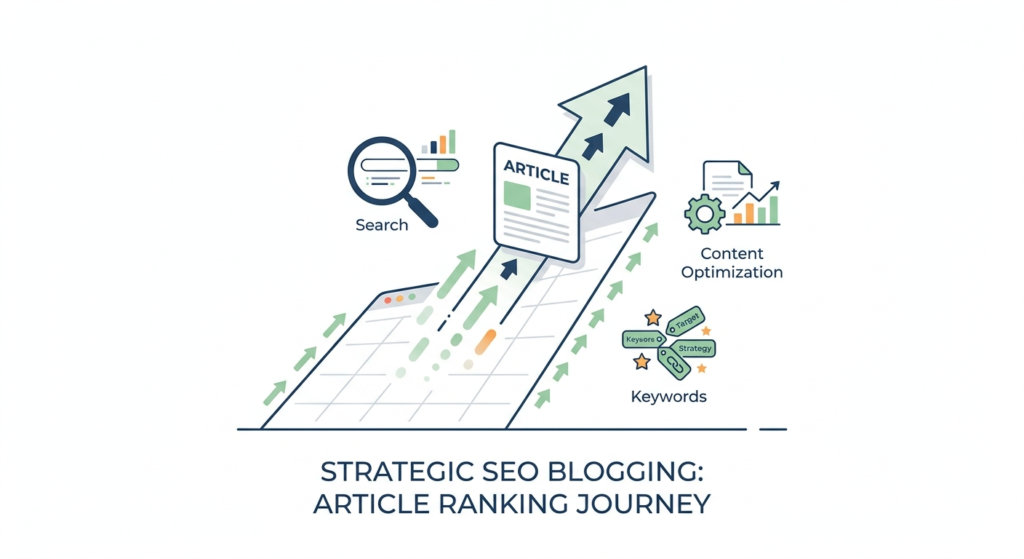
Never start writing immediately.
Start with structure.
A strong outline saves time and improves flow.
Example structure:
Introduction
Hook readers.
Explain the problem.
Promise a solution.
Basics Section
Explain concepts simply.
Step-by-Step Strategy
Break things into clear actions.
Examples
Show practical use cases.
Mistakes
Help readers avoid problems.
FAQ
Target long-tail searches.
Conclusion
Summarize and encourage action.
This structure increases readability and SEO performance.
Why Human Editing Still Matters
Here is the truth many people ignore:
ChatGPT writes drafts.
Humans polish them.
Even excellent AI-generated content needs:
- Fact-checking
- Examples
- Better storytelling
- Brand voice
- Personal insights
A small edit can turn average content into great content.
Think of ChatGPT as:
70% writing assistant
30% human improvement
That combination works best for rankings.
Step 4: Make AI Content Sound Human
One of the biggest reasons AI content fails is simple:
It sounds robotic.
You have probably read articles that feel like this:
“In today’s digital world, blogging is very important for businesses.”
That sounds generic.
Forgettable.
And honestly, boring.
Readers connect with content that feels natural.
Instead of sounding robotic, write like a real person talking to another person.
For example:
“When I first started experimenting with AI writing, I thought publishing faster would automatically mean more traffic. I quickly learned that speed without strategy rarely works.”
See the difference?
It feels conversational.
More relatable.
Easier to trust.
Simple Ways to Humanize ChatGPT Content
Here are easy improvements:
1. Add Real Examples
Instead of saying:
SEO matters.
Say:
A blogger publishing random AI articles may struggle for months, while someone targeting search intent and fixing structure often sees better rankings over time.
Examples create clarity.
2. Use Conversational Language
Write naturally.
Imagine explaining something to a friend.
Instead of:
This methodology improves optimization efficiency.
Try:
This method simply makes your content easier to rank.
Simple language wins.
3. Add Questions
Questions improve engagement.
For example:
Why are people searching this keyword?
What problem are they trying to solve?
This keeps readers mentally involved.
4. Break Up Long Paragraphs
Nobody likes giant text walls.
Especially mobile readers.
Keep paragraphs short.
Usually 2–4 lines.
This improves readability and retention.
Step 5: Optimize for Featured Snippets
Ever noticed those answer boxes at the top of search results?
That is called a featured snippet.
Winning those positions can massively increase traffic.
How do you optimize for them?
Answer Questions Clearly
Example:
How do you write blog posts with ChatGPT?
Quick answer:
To write blog posts with ChatGPT, start with keyword research, create a structured prompt, generate an outline, write a draft, edit for human readability, optimize SEO, and publish after fact-checking.
Short.
Clear.
Direct.
That format performs well.
Use Lists
Google loves structured content.
Example:
Steps to write ranking blog posts with ChatGPT
- Research keywords
- Understand search intent
- Create better prompts
- Generate an outline
- Edit content manually
- Add SEO optimization
- Publish and update
Easy to scan.
Easy to understand.
Add FAQs
FAQs help target long-tail keywords.
They also improve visibility in search.
We will cover examples later.
Step 6: Match Search Intent Like a Pro
This is where many bloggers struggle.
They target keywords but misunderstand intent.
Example:
Keyword:
“How to write blog posts with ChatGPT”
User expectation:
- Actionable guide
- Beginner-friendly steps
- Prompt examples
- SEO tips
- Ranking advice
If your article becomes too technical or unrelated, users leave.
And poor engagement hurts rankings.
Always ask:
“What exactly is the searcher expecting?”
Then deliver that.
Step 7: Add Supporting Content Around Your Topic
Google likes topic depth.
That means connected content.
For example, if someone wants to master ChatGPT blogging, they may also want to learn prompting.
You can explore prompt optimization here:
Likewise, beginners learning AI blogging may find this beginner guide helpful
Complete ChatGPT Blogging Guide
See what happened there?
The links feel useful.
Natural.
Not forced.
That matters for user experience.
Step 8: Edit Like an SEO Writer
Here is where rankings often improve.
Before publishing, ask yourself:
Does the introduction hook readers?
Bad intro:
Blogging is important in 2026.
Better intro:
What if you could write faster without hurting rankings?
Instant curiosity.
Are keywords naturally placed?
Avoid stuffing.
Bad example:
ChatGPT blog writing helps ChatGPT blog writing rank because ChatGPT blog writing…
That feels spammy.
Instead, write naturally.
Google understands context much better now.
Is the article easy to skim?
Use:
- H2 headings
- H3 sections
- Bullet points
- FAQs
- Short paragraphs
Good formatting improves user behavior.
Step 9: Compare AI Tools for Better Blogging
Many bloggers ask:
Should I use ChatGPT or Gemini for blogging?
The answer depends on workflow.
Generally:
- ChatGPT feels stronger for structured long-form writing and content workflows.
- Gemini may feel useful for broader integrations and research support.
If you want a detailed comparison, read:
ChatGPT vs Gemini for Blogging
The smartest approach?
Test both.
See which fits your process.
Common Mistakes That Stop AI Blog Posts From Ranking
Avoid these mistakes.
Publishing Without Editing
Never publish raw AI output.
Always improve it.
Ignoring Search Intent
Traffic comes from solving user problems.
Not random writing.
Keyword Stuffing
Overusing keywords hurts readability.
Natural placement works better.
No Internal Linking
Helpful supporting content improves navigation.
No Trust Signals
Back up claims using reliable information.
You can learn SEO content quality guidance from trusted resources like Google Search Central Documentation.
A Simple Workflow Smart Bloggers Use
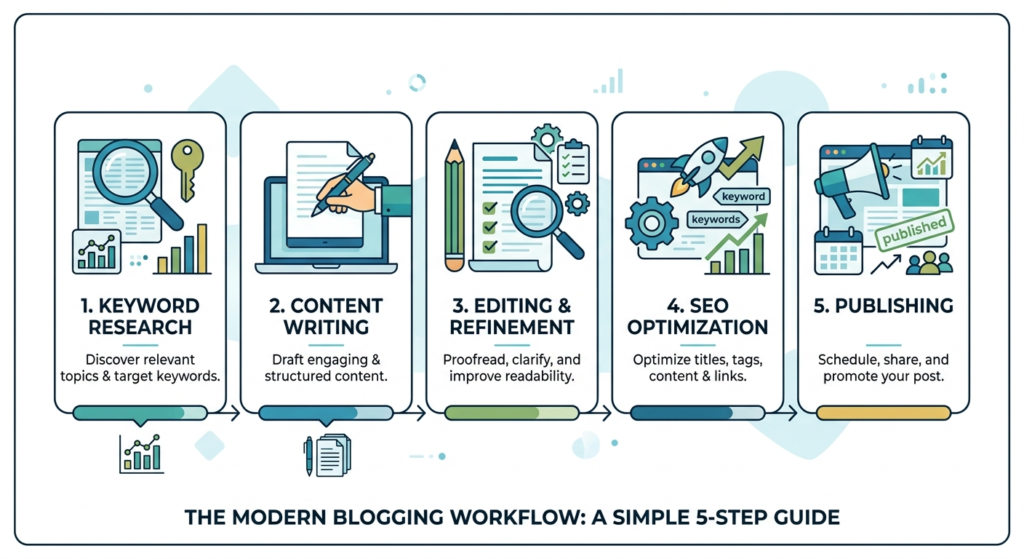
Here is a practical process:
- Find keyword
- Understand search intent
- Create strong prompt
- Generate outline
- Write draft with ChatGPT
- Human edit content
- Add internal links
- Add trusted external references
- Optimize headings and readability
- Publish and update
Simple.
Practical.
Repeatable.
Bonus Tip: Use ChatGPT on Web for Faster Workflow
If you prefer writing on desktop, accessing ChatGPT through browser can make long-form content easier to manage.
This setup guide may help:
A smoother workflow often means more consistent publishing.
And consistency matters in blogging.
FAQs
Can ChatGPT write SEO blog posts?
Yes, but results depend on prompts, editing, search intent, and human improvements. ChatGPT works best as a writing assistant, not a complete replacement for SEO strategy.
Are AI-written blog posts bad for SEO?
Not necessarily.
Low-quality, generic AI content struggles.
Helpful, edited, trustworthy content can perform well.
How long should a ChatGPT blog post be?
It depends on intent.
Competitive topics often perform better with detailed coverage, but quality matters more than word count.
Does Google punish AI content?
Google focuses more on usefulness than creation method.
Helpful content matters more than whether AI assisted writing.
What is the biggest mistake bloggers make with ChatGPT?
Publishing raw output without editing.
Human improvements usually make a major difference.
Final Thoughts
ChatGPT can absolutely help you create blog posts that rank.
But success does not come from copying AI output and clicking publish.
Ranking content usually follows a smarter process:
Strategy → Search Intent → Better Prompts → Human Editing → SEO Optimization
Think of ChatGPT as your assistant.
Not your replacement.
Use it to speed up research, outlines, drafting, and idea generation.
Then improve the content with your own insights, examples, structure, and experience.
That combination is what turns average content into something readers trust—and search engines are more likely to rank.