
Introduction

Google AI Studio for Beginners is becoming one of the most talked-about AI topics in 2026 because it helps users explore powerful artificial intelligence tools in a simple and beginner-friendly way. Whether you are a blogger, student, freelancer, or content creator, Google AI Studio makes it easier to test prompts, generate ideas, improve productivity, and understand how modern AI works without needing advanced technical knowledge. In this guide, you will learn what makes Google AI Studio powerful, how it works, and why beginners are increasingly using it to explore AI in smarter ways.
Artificial intelligence is moving faster than ever.
Just a few years ago, creating apps powered by AI felt like something only developers or tech experts could do. Today, things have changed dramatically. Tools are becoming smarter, easier to use, and much more beginner-friendly.
One tool that is creating serious buzz right now is Google AI Studio.
But here’s the big question:
Why is everyone suddenly talking about it?
And more importantly:
What makes Google AI Studio so powerful for beginners?
If you have ever wanted to test AI prompts, build smart workflows, experiment with advanced models, or simply understand how Google’s AI ecosystem works, this platform might surprise you.
The best part?
You do not need to be a coding expert to start exploring it.
In this beginner-friendly guide, you will learn:
- What Google AI Studio actually is
- Why it is becoming popular in 2026
- Key features that make it powerful
- How beginners can start using it
- Real-world use cases
- Hidden benefits and limitations
By the end of this guide, you will know whether Google AI Studio is worth your time.
What Is Google AI Studio?
At its core, Google AI Studio is a platform designed to help users experiment with AI models in a simple and practical way.
Think of it like a testing playground where you can interact with powerful AI systems without needing advanced technical skills.
Instead of building complicated machine learning systems from scratch, users can simply write prompts, test outputs, and understand how Google’s AI models behave.
It acts as a bridge between powerful artificial intelligence and everyday users.
In simple words:
Google AI Studio helps beginners and developers interact with advanced AI without making the process feel overwhelming.
Many people compare it to chatbot builders or AI playgrounds, but Google AI Studio offers deeper flexibility because it is connected with Google’s growing AI ecosystem.
If you are already exploring Google’s AI technologies, you may also want to understand how Gemini works in simple language:
That knowledge can help you understand what powers many experiences inside Google AI Studio.
A Simple Real-Life Example
Imagine you are a blogger.
You want AI to help you:
- Generate blog ideas
- Write outlines
- Improve SEO suggestions
- Summarize research
- Rewrite paragraphs
Instead of opening multiple tools, you can experiment directly with prompts inside Google AI Studio and understand what type of instructions produce better responses.
This makes learning AI much easier.
Why Is Google AI Studio Becoming So Popular?
The answer is simple:
Accessibility + Power
In the past, advanced AI tools felt intimidating.
You needed technical knowledge, APIs, coding experience, or expensive software subscriptions.
Now things are changing.
Google AI Studio removes much of that complexity.
Here are some reasons beginners love it:
1. Beginner-Friendly Interface
One major reason behind its popularity is simplicity.
The dashboard feels cleaner than many developer-heavy AI platforms.
You can quickly test prompts and understand outputs without spending hours learning technical systems.
For beginners, this reduces fear and confusion.
2. Access to Powerful AI Models
Another reason is access to Google’s advanced AI capabilities.
Instead of reading about artificial intelligence, users can actually interact with it.
That hands-on experience speeds up learning dramatically.
3. Faster Experimentation
Let’s say you want to compare different prompts.
Normally, this could feel frustrating.
Inside Google AI Studio, experimenting becomes faster.
You can test:
- Writing prompts
- Marketing prompts
- Coding prompts
- Research prompts
- Summarization tasks
This encourages practical learning instead of theory.
4. Useful for Multiple Types of Users
Google AI Studio is not only for developers.
It can help:
- Bloggers
- Students
- Freelancers
- Content creators
- Business owners
- Marketers
- Beginner AI learners
That broad usefulness explains why people are increasingly searching for beginner guides.
Key Features That Make Google AI Studio Powerful
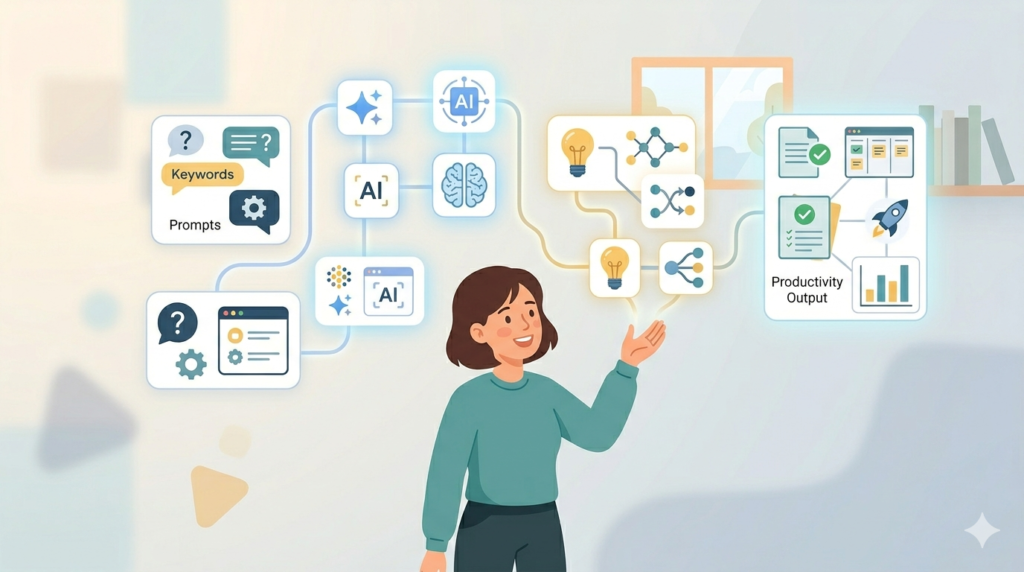
Now let’s understand the real reason people are impressed.
The power comes from features that make AI feel practical instead of confusing.
Prompt Testing Environment
One of the biggest strengths is prompt experimentation.
You can try different instructions and instantly compare outputs.
For example:
Instead of saying:
“Write a blog post”
You can improve your result with:
Write an SEO-friendly beginner guide using simple language and examples.”
The difference in quality becomes obvious very quickly.
This teaches beginners an important AI skill:
Prompt engineering.
The better your instructions, the better the results.
Easy AI Experimentation
Many beginners quit learning AI because tools feel complicated.
Google AI Studio lowers that learning barrier.
You can simply open the platform and start experimenting.
No overwhelming setup.
No advanced technical confusion.
Just practical testing.
Faster Learning Curve
People learn faster when they can see immediate results.
Instead of reading tutorials for hours, beginners can experiment directly and improve through practice.
For example:
A content creator may test five blog prompts in ten minutes and quickly understand which style performs better.
That immediate feedback loop is incredibly valuable.
Supports Multiple Use Cases
Another hidden strength is flexibility.
You can use it for:
- Content generation
- Research assistance
- Productivity workflows
- Coding experiments
- Learning prompts
- Business brainstorming
- Marketing ideas
- Educational support
Because of this, beginners do not feel restricted.
How Google AI Studio Works (Simple Explanation)
If you are wondering:
“Do I need technical knowledge?”
The short answer is:
Not necessarily.
The basic process is surprisingly simple.
Here is how it works:
Step 1: Open Google AI Studio
You access the platform and choose a workspace for experimentation.
Step 2: Write a Prompt
This is where the magic begins.
You type instructions.
Example:
“Explain SEO in beginner-friendly language.”
Or:
“Generate content ideas for a travel blog.”
Step 3: Analyze the Response
The AI responds based on your instructions.
You observe:
- Quality
- Accuracy
- Style
- Structure
- Clarity
Step 4: Improve Your Prompt
If results are weak, you improve instructions.
This process helps users become smarter at working with AI.
Why Beginners Are Switching to Google AI Tools
AI is no longer a futuristic concept.
It is becoming part of everyday work.
Many beginners are also exploring newer Google-powered tools designed for creators and marketers.
You can explore some of the latest tools here:
These tools show how quickly Google’s AI ecosystem is expanding.
Real-Life Use Cases of Google AI Studio
The biggest reason beginners enjoy using Google AI Studio is simple:
It feels practical.
Instead of learning AI through boring theory, you start seeing real results.
Here are some real-world ways people are using it.
1. Bloggers and Content Creators
If you run a blog, AI can save hours of work.
For example, imagine you want to write a guide about SEO.
Instead of staring at a blank screen, you can ask AI to:
- Generate blog ideas
- Create outlines
- Improve readability
- Suggest FAQs
- Rewrite weak paragraphs
- Simplify technical topics
A beginner blogger could type:
“Create a beginner-friendly SEO article outline with simple language.”
Within seconds, AI generates a structure you can improve.
Many creators also explore how AI systems work behind the scenes before using them for content workflows. If you want to understand the technology powering many AI experiences, read:
Gemini Language Model Kaise Kaam Karta Hai (Simple Guide)
2. Students and Learners
Students can use AI Studio to simplify difficult topics.
For example:
A student struggling with marketing concepts might ask:
“Explain digital marketing in simple beginner language with examples.”
Instead of confusing textbook explanations, they get something easier to understand.
This improves learning speed.
However, smart students use AI for understanding—not blindly copying answers.
3. Freelancers and Business Owners
Freelancers often wear multiple hats.
You may need:
- Marketing copy
- Email ideas
- Content strategy
- Product descriptions
- Customer communication drafts
Instead of hiring multiple tools, AI experimentation becomes easier inside Google AI Studio.
A freelancer might test:
“Write a persuasive landing page for a graphic design service.”
Then compare different outputs until one feels right.
4. Developers and Curious Beginners
You do not need to become a programmer to experiment.
But if you are curious about coding, AI Studio also helps you test logic, prompts, and automation ideas.
For example:
“Explain Python loops like I am a beginner.”
Or:
“Generate a simple website structure.”
This makes technical learning feel less intimidating.
What Makes Google AI Studio So Powerful?
Now let’s answer the core question behind this article.
Why are people calling it powerful?
The answer is not only “because it uses AI.”
Its real strength comes from how easy it makes advanced technology feel.
It Encourages Better Prompting
One hidden skill in AI success is learning how to ask better questions.
Most beginners fail because prompts are too vague.
Bad prompt:
“Write article”
Better prompt:
“Write a beginner-friendly SEO article using short paragraphs, simple English, examples, FAQs, and conversational tone.”
The second version gives dramatically better results.
This process teaches something important:
Good AI output starts with clear instructions.
Google AI Studio helps users learn this quickly through experimentation.
It Saves Time
Time is one of the biggest advantages.
Imagine spending:
- 2 hours brainstorming blog ideas
- 1 hour creating outlines
- 45 minutes researching FAQs
AI can shorten much of this process.
You still need human editing and expertise, but the speed boost matters.
It Improves Creativity
Many people assume AI kills creativity.
In reality, beginners often use it as a brainstorming partner.
For example:
A creator stuck on ideas might ask:
“Give me 20 unique blog ideas for beginner affiliate marketers.”
Suddenly, the blank page problem disappears.
It Helps You Learn Faster
Learning becomes interactive.
Instead of reading about AI endlessly, you start using it immediately.
That feedback loop matters.
You test → improve → learn → repeat.
This hands-on process makes growth faster.
Google AI Studio vs Other AI Tools
Beginners often ask:
“Why not just use a normal chatbot?”
Good question.
The difference is experimentation.
Some tools focus only on conversation.
Google AI Studio focuses more on testing, prompt improvement, and understanding how AI behaves under different instructions.
For example:
| Feature | Basic Chatbot | Google AI Studio |
|---|---|---|
| Prompt testing | Limited | Better |
| Experimentation | Basic | Advanced |
| Learning AI behavior | Medium | High |
| Beginner exploration | Good | Excellent |
That flexibility makes it attractive for creators, marketers, and curious learners.
You can also explore newer AI tools created for creators and marketers here:
Google New AI Tools for Bloggers & YouTubers (2026)
Benefits of Google AI Studio for Beginners
Here are the biggest advantages beginners usually notice.
Easy to Start
Many AI tools feel technical.
Google AI Studio feels simpler.
You can begin experimenting without feeling overwhelmed.
Beginner-Friendly Learning
Instead of reading complicated AI theory, you learn through action.
That makes the process less stressful.
Flexible Use Cases
One day you can use it for content ideas.
The next day for business planning.
Then for learning coding concepts.
That versatility matters.
Better Productivity
Even small productivity gains add up.
Saving 20–30 minutes daily becomes huge over months.
Smarter AI Understanding
After using AI Studio regularly, beginners start understanding:
- Better prompting
- Clear instructions
- Context improvement
- AI limitations
- Response optimization
That skill becomes useful across many AI platforms.
Are There Any Limitations?
No tool is perfect.
Google AI Studio has strengths, but beginners should understand its limitations too.
AI Can Be Wrong
Sometimes AI gives inaccurate or misleading information.
This is why fact-checking matters.
Never trust outputs blindly.
Especially for:
- Finance
- Medical advice
- Legal information
- Research claims
Prompt Quality Matters
Weak prompts often create weak results.
Beginners may initially feel disappointed.
But usually, the issue is instruction clarity.
Human Editing Is Still Necessary
AI can help.
It should not replace human judgment.
For example:
A blog written entirely by AI without editing often feels robotic.
The best approach is:
AI + human experience + editing
That combination works much better for SEO and trust.
Beginner Tips to Use Google AI Studio Smarter
If you want better results, follow these simple habits.
Be Specific
Avoid vague instructions.
Instead of:
“Write content”
Try:
Write an engaging beginner guide with examples, FAQs, and conversational tone.”
Give Context
The more context AI gets, the better results become.
Example:
“Act as an SEO expert writing for beginners.”
Experiment Often
Do not settle for the first output.
Try multiple prompts.
Compare answers.
Improve instructions.
Edit Everything
Always humanize content.
Add stories.
Add personal insights.
Improve clarity.
This helps content feel authentic and more aligned with Google EEAT principles.
How Google AI Studio Fits Into Google’s Growing AI Ecosystem
One reason beginners are excited about Google AI Studio is that it connects with the larger AI ecosystem being built by Google.
This matters because AI tools are evolving quickly.
Instead of learning isolated tools, beginners are learning systems that may become deeply connected with productivity, search, content creation, automation, and smart assistants.
For example, if you want to better understand lightweight AI experiences designed for devices, this beginner guide can help:
Learning how these systems connect gives you a stronger understanding of where AI technology is heading.
Featured Snippet: What Makes Google AI Studio Powerful?
If someone asks:
What makes Google AI Studio so powerful?
The short answer is:
Google AI Studio is powerful because it makes advanced AI experimentation simple for beginners through prompt testing, fast responses, flexible workflows, and easy access to advanced AI capabilities without requiring deep technical skills.
That combination of simplicity and power is what makes it stand out.
Frequently Asked Questions (FAQs)
Is Google AI Studio Good for Beginners?
Yes.
Google AI Studio is beginner-friendly because it allows users to test prompts, learn AI interactions, and experiment without needing advanced coding knowledge.
Its practical learning approach makes AI feel easier to understand.
Do I Need Coding Skills to Use Google AI Studio?
No.
For basic use, coding is not necessary.
You can simply write prompts, test outputs, and learn how AI responds.
However, advanced users may choose to explore deeper workflows.
Can Bloggers Use Google AI Studio?
Absolutely.
Bloggers often use it for:
- Blog ideas
- SEO-friendly outlines
- Research summaries
- Content improvement
- FAQ generation
- Brainstorming headlines
But remember:
Human editing still matters for quality and trust.
Is Google AI Studio Better Than Chatbots?
It depends on your goal.
If you only want casual conversations, a standard chatbot may feel enough.
If you want experimentation, prompt testing, and deeper AI learning, Google AI Studio becomes more valuable.
Is AI Content Enough to Rank on Google?
Not by itself.
Content performs better when you combine:
- Human expertise
- Editing
- Helpful examples
- Original insights
- Trustworthy information
This aligns more closely with strong content quality expectations and EEAT-style writing.
Common Beginner Mistakes to Avoid
Many beginners make similar mistakes when starting with AI tools.
Avoid these if you want better results.
Using Generic Prompts
Weak prompt:
“Write blog”
Better prompt:
“Write a beginner-friendly blog using conversational English, examples, short paragraphs, SEO formatting, FAQs, and easy readability.”
Clear prompts produce stronger results.
Copy-Pasting Without Editing
AI-generated content should be improved.
Always:
- Rewrite sections naturally
- Add examples
- Improve readability
- Include unique opinions
- Fact-check claims
This helps content feel more trustworthy and human.
Expecting Perfect Results Instantly
AI works best when refined.
Most good outputs come after experimentation
Try multiple prompt variations before choosing a final version.
The Future of Google AI Studio
AI tools are improving rapidly.
In the coming years, beginner-friendly AI platforms may become essential for:
- Writing assistance
- Business automation
- Education
- Research
- Marketing workflows
- Content strategy
The biggest advantage of learning now is simple
You gain skills before everyone else catches up.
Understanding prompts, AI workflows, and experimentation today may become a valuable digital skill tomorrow.
If you also want to understand beginner-friendly ways people are exploring AI opportunities, check this guide:
Google Gemini Kya Hai & Paise Kaise Kamaye
Final Verdict: Is Google AI Studio Worth Using?
If you are completely new to artificial intelligence, Google AI Studio is one of the easiest ways to start learning through practical experience.
Instead of overwhelming theory, you get hands-on experimentation.
You can test prompts, improve responses, brainstorm ideas, and understand how AI behaves in real situations.
What makes it powerful is not just advanced technology.
It is the fact that beginners can actually use that technology without feeling lost.
Will it replace human creativity?
No.
But it can absolutely become a smart assistant for learning, productivity, research, content creation, and experimentation.
If used correctly, Google AI Studio becomes less of a shortcut tool and more of a learning partner.
And in a world increasingly shaped by AI, learning how to work with these tools early can become a real advantage
Conclusion

Google AI Studio is powerful because it combines simplicity with advanced AI capabilities in a beginner-friendly way.
Whether you are a blogger, student, freelancer, marketer, or someone simply curious about AI, the platform offers a practical way to learn through experimentation.
The secret is not just using AI.
The secret is learning how to use AI better.
And for many beginners, Google AI Studio may be one of the best places to start.