
Introduction
If you want to learn how to start a blog using only your smartphone, you do not need a laptop or expensive setup. Today, blogging has become easier than ever, and you can write, publish, and manage a blog directly from your mobile phone.
Have you ever thought about starting a blog but stopped because you don’t own a laptop?
You are not alone.
Many beginners believe blogging requires an expensive computer, professional setup, or advanced technical knowledge. The truth is very different. Today, you can start a successful blog using only your smartphone. From writing articles and designing images to publishing content and even doing SEO, almost everything can be done from a mobile device.
In fact, many content creators and beginner bloggers start with basic tools before upgrading later. If you already own a smartphone and internet connection, you have enough to begin your blogging journey.
The best part?
You don’t need to wait for the “perfect time” or expensive equipment. A smartphone is powerful enough to help you create content, manage a website, and grow traffic step by step.
In this guide, you’ll learn exactly how to start a blog using only your smartphone, even if you are a complete beginner.
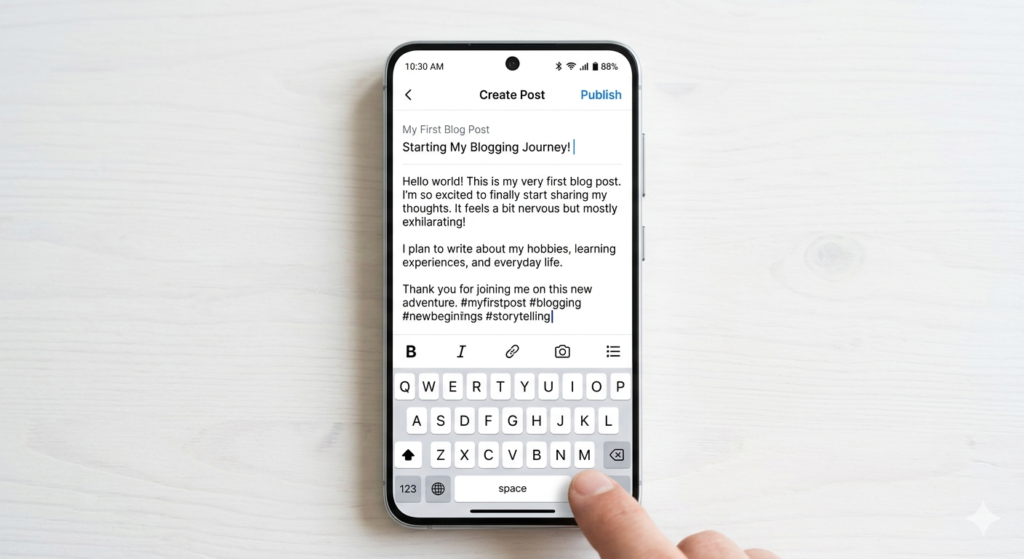
Can You Really Start a Blog With Only a Smartphone?
The short answer is yes.
Modern smartphones are powerful enough to handle blogging tasks that once required a computer. Whether you want to write blog posts, upload images, optimize content for SEO, or publish articles, you can manage everything directly from your phone.
Here are some things you can do using your smartphone:
- Write blog posts
- Buy hosting and domain
- Install WordPress
- Create blog images
- Optimize SEO
- Publish and edit articles
- Promote content on social media
For example, imagine a college student wanting to make money online but unable to buy a laptop. Instead of waiting for months, they start blogging using their Android phone during free time. Slowly, they publish useful content, learn SEO basics, and begin growing website traffic.
This approach is practical and realistic for many beginners.
The secret is consistency, not expensive tools.
Why Starting a Blog Using Your Smartphone Makes Sense
Starting small often works better than waiting forever.
Many people delay blogging because they think they need premium equipment. But blogging is mainly about content, consistency, and patience.
Here are a few reasons why mobile blogging makes sense:
Low Investment
You don’t need to spend money on an expensive setup. A smartphone you already own is enough to begin.
Easy to Manage Anywhere
You can write articles while traveling, sitting at home, or during free time.
Faster Content Creation
Many people actually type faster on smartphones because they use them daily.
Beginner Friendly
Apps make blogging simpler. Most blogging platforms are mobile-friendly today.
If your goal is to learn blogging, build online income, or share knowledge, starting immediately matters more than waiting for perfect conditions.
Things You Need Before Starting a Blog
Before creating your blog, make sure you have a few basics ready.
1. A Smartphone
Any decent Android or iPhone works fine. You don’t need a flagship phone.
Just make sure it has:
- Stable internet access
- Enough storage space
- A browser like Chrome or Safari
2. Internet Connection
Blogging requires internet for publishing articles, uploading images, and managing your website.
Even mobile data is enough for beginners.
3. A Blogging Platform
This is where your website lives.
There are multiple blogging platforms available, but beginners usually prefer WordPress because it offers flexibility, SEO features, and long-term growth opportunities.
For beginners, reading WordPress basics from the official WordPress website can help understand how blogging works.
4. Basic Writing Skills
You don’t need perfect English.
Simple language works better.
Focus on solving problems, answering questions, and helping readers.
For example:
Bad approach:
“Utilize sophisticated methodologies to maximize informational efficiency.”
Simple approach:
“Use easy blogging methods that help readers understand quickly.”
Simple writing usually performs better because readers enjoy easy-to-read content.
Step 1: Choose a Blogging Niche on Your Smartphone
Learning how to start a blog using only your smartphone becomes easier when you focus on one niche and publish consistently. Choosing the right niche helps beginners stay focused and create useful content regularly.
Before creating a blog, choose what topic you want to write about.
This is called your niche.
A niche helps define your content focus.
For example:
Technology Blog
Topics may include:
- AI tools
- Blogging tips
- Smartphone hacks
- Tech tutorials
Fashion Blog
You can write about:
- Outfit ideas
- Fashion trends
- Budget styling tips
Fitness Blog
Possible content:
- Home workouts
- Weight loss tips
- Diet routines
Personal Finance Blog
Topics include:
- Saving money
- Side hustles
- Online income tips
The best niche is usually something that matches:
- Your interest
- Basic knowledge
- Audience demand
Ask yourself:
“What topic can I consistently write about for the next year?”
That answer often becomes your blogging niche.
Step 2: Buy a Domain and Hosting Using Your Smartphone
Now it’s time to set up your website.
You need two things:
Domain Name
This is your website name.
Example:
yourblogname.com
Choose a name that is:
- Short
- Easy to remember
- Simple to type
- Related to your niche
Avoid difficult spellings or extra symbols.
Hosting
Hosting stores your website files online.
Without hosting, your blog cannot go live.
Most hosting companies allow easy signup directly from mobile browsers.
You can compare beginner-friendly hosting options and pricing from trusted providers before choosing one.
After purchasing hosting, you’ll usually get access to WordPress installation with one click.
Don’t worry — it sounds technical, but it is easier than most beginners think.
Common Mistakes Beginners Make
When starting a blog using only a smartphone, avoid these mistakes:
Waiting for a Laptop
Many people delay blogging for years.
Start with what you have.
Choosing Too Many Topics
Writing about everything confuses readers.
Stay focused.
Copying Other Blogs
Google prefers original content.
Write in your own style.
Ignoring SEO
Even basic SEO matters if you want traffic from search engines.
You’ll learn SEO basics later in this guide.
Final Thoughts (Part 1)
Starting a blog using only your smartphone is completely possible.
You don’t need expensive gear or advanced skills to begin.
What matters most is taking action, choosing the right niche, and setting up your blog step by step.
Step 3: Install WordPress on Your Smartphone
Once you buy hosting and a domain, the next step is setting up your blog.
Don’t worry — you do not need coding skills.
Most hosting providers offer one-click WordPress installation. You can do this directly from your smartphone browser.
Usually, the process looks like this:
- Login to your hosting account
- Open the dashboard
- Find “WordPress Install” or “One-Click Install”
- Choose your domain name
- Click install
Within a few minutes, your website becomes live.
You can also download the WordPress mobile app to manage your blog more easily. The official WordPress website explains installation and beginner setup in simple steps.
After installation, you’ll receive login details for your website.
Open your browser and type:
yourdomain.com/wp-admin
Now login using your username and password.
Congratulations — your blog dashboard is ready.
Step 4: Choose a Simple Mobile-Friendly Theme
Your website design matters.
But here’s the mistake beginners make:
They choose heavy themes with too many effects.
This slows down websites and creates a bad user experience.
Instead, choose a clean and mobile-friendly theme.
A good blog theme should be:
- Fast loading
- Easy to read
- Mobile responsive
- SEO friendly
- Simple design
For example, minimal blog designs often perform better because readers can focus on content instead of distractions.
Good design does not mean complicated design.
Simple usually wins.
Step 5: Important Plugins You Can Install on Mobile
Plugins add extra features to your website.
Think of them like apps for your blog.
You don’t need dozens of plugins.
Install only useful ones.
SEO Plugin
An SEO plugin helps optimize blog posts for search engines.
It can guide you with:
- Meta descriptions
- SEO titles
- Keyword placement
- Readability improvements
Beginners often use tools like Rank Math or Yoast SEO.
Security Plugin
Security matters.
A security plugin helps protect your website from spam or suspicious activity.
Cache Plugin
A cache plugin helps improve website speed.
Faster websites usually give a better user experience.
Image Optimization Plugin
Large images slow websites.
Image optimization plugins compress images and improve loading speed.
Remember:
Too many plugins can slow down your blog.
Keep things simple.
Step 6: Write Blog Posts Directly From Your Smartphone
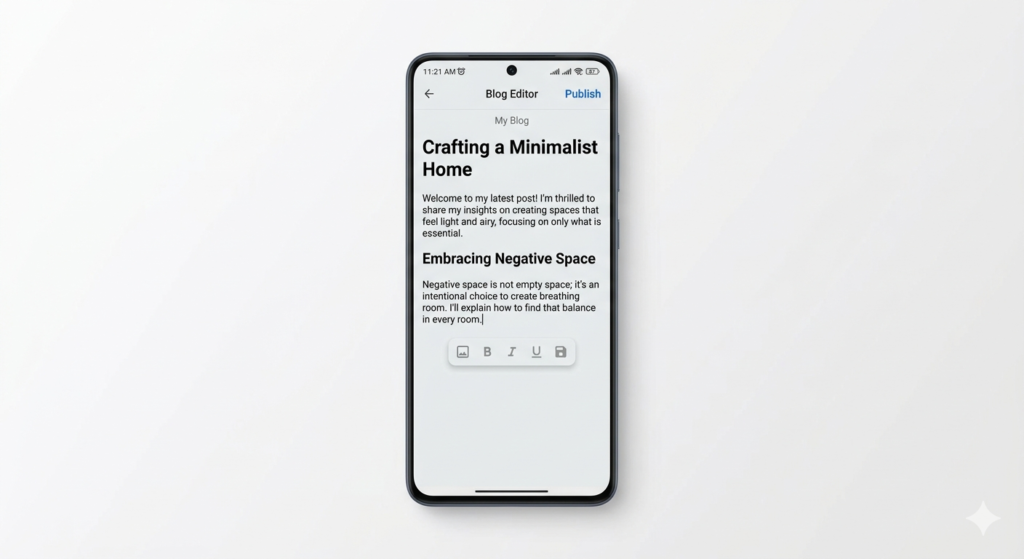
This is where real blogging starts.
Many beginners think writing on a phone feels difficult.
Actually, it becomes easy with practice.
Open your WordPress dashboard and click:
Posts → Add New
Now start writing.
Here are some mobile blogging tips:
Write Short Paragraphs
Big text blocks feel boring.
Keep paragraphs small.
For example:
Bad example:
“Blogging is one of the most powerful ways to build authority online while generating traffic and potentially creating revenue streams if you consistently produce optimized content.”
Better example:
“Blogging helps you grow online.
It can build traffic, authority, and income over time.”
Easy writing improves readability.
Use Headings Properly
Headings help readers scan content.
Use:
- H2 for main sections
- H3 for subtopics
- H4 when needed
This also improves SEO structure.
Following a perfect blog structure for SEO can make articles easier to read and improve rankings.
Focus on Solving Problems
People search Google for answers.
Instead of writing random information, solve real problems.
Example:
Bad topic:
“My thoughts about blogging”
Better topic:
“How to Start Blogging Using a Smartphone”
The second topic solves a problem.
That matters.
If you struggle with content writing, learning how to write blog posts with ChatGPT can help beginners create better articles faster.
Step 7: Create Blog Images Using Only Your Phone
A blog without visuals feels boring.
Images make content easier to understand.
The good news?
You can create blog images using your smartphone.
Apps like Canva make image creation simple for beginners.
You can design:
- Featured images
- Pinterest graphics
- Blog illustrations
- Social media posts
Keep your images:
- Clean
- Minimal
- Easy to understand
Avoid too much text.
Simple visuals usually look more professional.
For example, if your article talks about smartphone blogging, use visuals showing:
- Phone screens
- Blog writing setup
- Content creation process
This helps readers instantly understand the topic.
Step 8: Learn Basic SEO From Your Smartphone
If you want free traffic from Google, SEO matters.
SEO means Search Engine Optimization.
In simple words:
SEO helps Google understand your content.
Here are beginner-friendly SEO basics:
Use Keywords Naturally
Suppose your topic is:
“How to Start a Blog Using Only Your Smartphone”
Mention it naturally throughout the article.
Do not stuff keywords repeatedly.
Wrong example:
“Smartphone blogging is best smartphone blogging for smartphone blogging users.”
That sounds robotic.
Natural writing works better.
Add Keywords in Important Places
Use keywords in:
- Title
- Introduction
- Headings
- Meta description
- URL slug
Internal Linking
Connect related articles.
For example:
If you write about SEO later, link it from your blogging guide.
This improves navigation and user experience.
External Links
Link to trusted sources when needed.
For example:
Google Search documentation or WordPress beginner resources can improve trust and credibility.
This helps support Google EEAT signals.
Step 9: Publish Your First Blog Post
Perfection stops progress.
Many beginners keep editing forever.
Instead:
Publish.
Learn.
Improve.
Before publishing, check:
Blog Checklist
- Is the title clear?
- Did you add headings?
- Is content easy to read?
- Did you add images?
- Did you optimize SEO basics?
- Are paragraphs short?
If yes, click publish.
That’s it.
Your first blog post is live.
It may not be perfect.
And that’s okay.
Every successful blogger improves with practice.
A strong headline improves clicks, so learning how to create better blog titles can help increase blog traffic
Mistakes to Avoid While Blogging on Mobile
Overthinking Design
Content matters more.
Don’t waste weeks changing colors and layouts.
Writing Huge Paragraphs
Readers prefer easy reading.
Short paragraphs work best.
Skipping Consistency
Posting once every few months won’t help.
Try posting regularly.
Even one article weekly is a good start.
Ignoring Reader Intent
Always ask:
“What problem am I solving?”
This mindset improves blog quality.
Final Thoughts (Part 2)
By now, you understand how to install WordPress, write blog posts, create visuals, and optimize basic SEO directly from your smartphone.
The biggest lesson?
You do not need expensive equipment to become a blogger.
Consistency matters more than technology.
Step 10: How to Get Traffic to Your Blog Using Only Your Smartphone
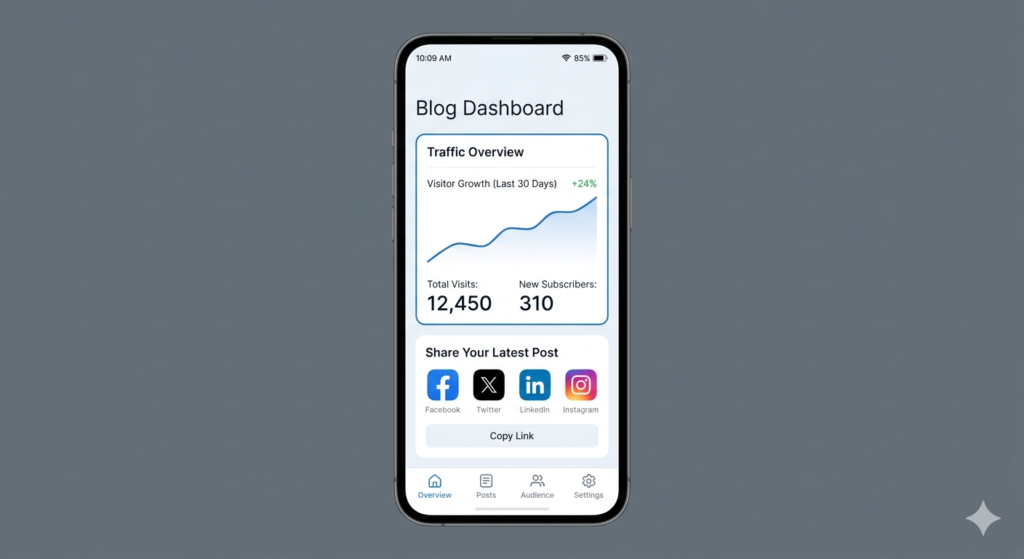
If your goal is traffic, understanding how to start a blog using only your smartphone with SEO basics matters.
Publishing blog posts is only the beginning.
Now the real question is:
“How will people find your blog?”
The answer is traffic.
Without visitors, even the best content stays invisible.
The good news?
You can grow traffic directly from your smartphone.
Focus on SEO
Search engine traffic is one of the best long-term traffic sources.
When someone searches on Google:
“How to start a blog using a smartphone”
Your article can appear in search results.
That means free visitors.
To improve SEO:
- Write helpful content
- Use clear headings
- Add keywords naturally
- Write easy-to-read paragraphs
- Answer common questions
SEO takes time.
But it works consistently.
Share Your Blog on Social Media
Your smartphone already gives you access to social media.
You can share blog content on:
- X (Twitter)
- WhatsApp groups
For example:
If you write an article about blogging tips, create a simple post and tell people what they will learn.
Instead of saying:
“Read my blog”
Try:
“Want to start blogging with only your phone? I shared a beginner guide step by step.”
This sounds more natural.
Stay Consistent
Many beginners quit too early.
They publish 3–4 articles and stop.
Blogging rewards patience.
Try this simple content plan:
- 1 blog post every week
- Improve old content regularly
- Learn basic SEO slowly
Small consistency creates big results.
If you want to understand SEO basics better, reading the Google SEO Starter Guide can help beginners learn how search optimization works.
Step 11: How to Make Money From a Blog Using Only Your Smartphone
A blog can become more than a hobby.
Over time, it may generate income.
But realistic expectations matter.
Blogging is not instant money.
It takes effort.
Here are beginner-friendly monetization methods:
Affiliate Marketing
Affiliate marketing means recommending products.
When someone buys through your referral link, you earn commission.
Example:
If you write about blogging tools, you can recommend hosting services or useful apps.
Display Ads
After getting website traffic, you can monetize with ads.
Ads appear on your website and generate earnings from visitors.
Sponsored Content
Brands sometimes pay bloggers to mention products or services.
This usually becomes easier after growing traffic.
Sell Digital Products
Some bloggers sell:
- Ebooks
- Guides
- Templates
- Courses
For example:
A blogging expert might sell a beginner blogging checklist.
Start simple.
Focus on trust before income.
Step 12: Build Trust and Authority (Google EEAT Tips)
Google values trustworthy content.
That is why helpful content matters.
To improve trust:
Share Real Experience
Talk about practical examples.
Instead of generic advice, explain what actually works.
For example:
If smartphone blogging helped you stay productive, mention practical experiences.
Write Helpful Content
Always think:
“Will this help someone?”
Helpful content wins long term.
Use Simple Language
Complex writing often confuses readers.
Simple content keeps people engaged.
Update Old Posts
Old content becomes outdated.
Refresh articles occasionally with better information.
This improves quality over time.
Common Blogging Challenges Beginners Face
Every blogger struggles at first.
That is normal.
Here are common problems and solutions.
“I Don’t Know What to Write”
Answer beginner questions.
Think:
“What would a beginner search on Google?”
Examples:
- How to start blogging
- Blogging mistakes beginners make
- Best blogging apps
If you run out of content ideas, you can generate unlimited blog ideas with AI and stay consistent with publishing.
“I Have No Traffic”
Traffic takes time.
Keep publishing.
Learn SEO basics.
Improve older articles.
“I Don’t Have a Laptop”
You already learned something important:
A smartphone is enough to start.
Don’t let missing equipment stop progress.
“My Writing Is Not Perfect”
Perfection is unnecessary.
Clear writing matters more.
Readers care about useful answers.
Best Free Apps for Smartphone Bloggers
Your smartphone becomes powerful when you use the right apps.
Helpful apps include:
WordPress App
Manage posts and publish content.
Canva
Create blog graphics and featured images.
Google Docs
Write articles and save drafts.
Notes App
Save ideas instantly.
Keep your blogging setup simple.
You don’t need 20 apps.
Only useful tools.
Final Tips for Success
Before ending this guide, remember these simple blogging lessons:
- Start before feeling ready
- Focus on helping readers
- Keep writing simple
- Learn SEO step by step
- Publish consistently
- Stay patient
Most bloggers fail because they quit.
Not because they lack talent.
A smartphone plus consistency is enough to begin.
Conclusion
Starting a blog using only your smartphone is completely possible.
You don’t need expensive equipment, advanced technical skills, or a perfect setup.
If you have a smartphone, internet connection, and willingness to learn, you already have what you need.
The biggest mistake beginners make is waiting.
Waiting for a laptop.
Waiting for perfect knowledge.
Waiting for motivation.
Instead, start now.
Write your first article.
Learn slowly.
Improve with time.
Because successful bloggers are not the people who wait.
They are the people who begin.
Now you understand how to start a blog using only your smartphone without waiting for expensive equipment.