
Introduction
Artificial intelligence is changing the way people search for information, create content, write code, learn new skills, and improve productivity. Among the most talked-about AI tools today is Google Gemini AI.
Originally introduced as Google’s next-generation AI model, Gemini has evolved into a powerful assistant capable of understanding text, images, audio, video, and code. Whether you’re a student, blogger, marketer, developer, or business owner, Gemini offers a wide range of capabilities designed to make daily tasks faster and more efficient.
At the same time, many users wonder how Gemini compares with ChatGPT. Both platforms are leading AI assistants, but they differ in features, ecosystem integration, performance, and use cases.
In this comprehensive guide, you’ll learn what Google Gemini AI is, its major features, practical applications, advantages, limitations, pricing, and a detailed ChatGPT comparison to help you decide which AI assistant is right for you.
For the latest features, pricing, and updates, visit the official Google Gemini Official Website
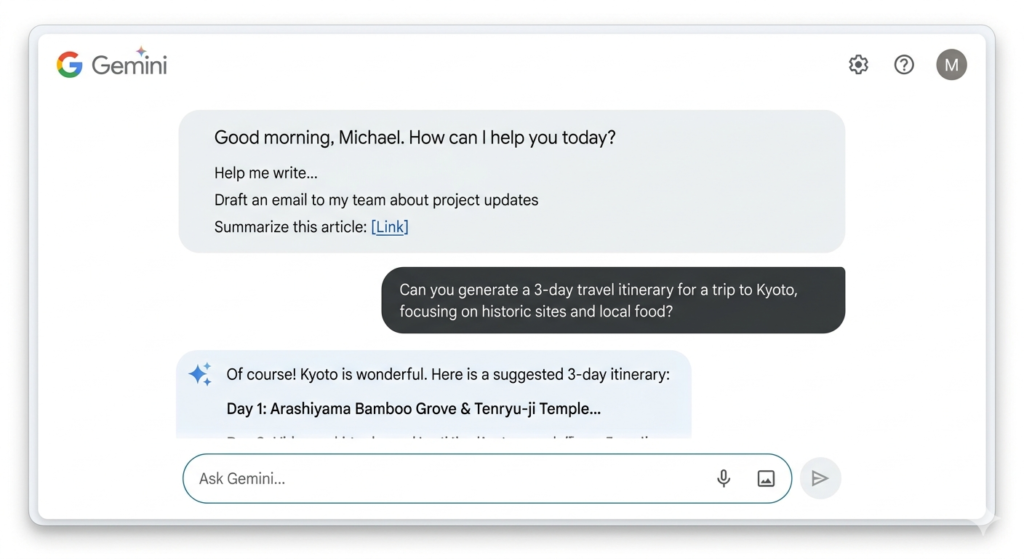
What Is Google Gemini AI?
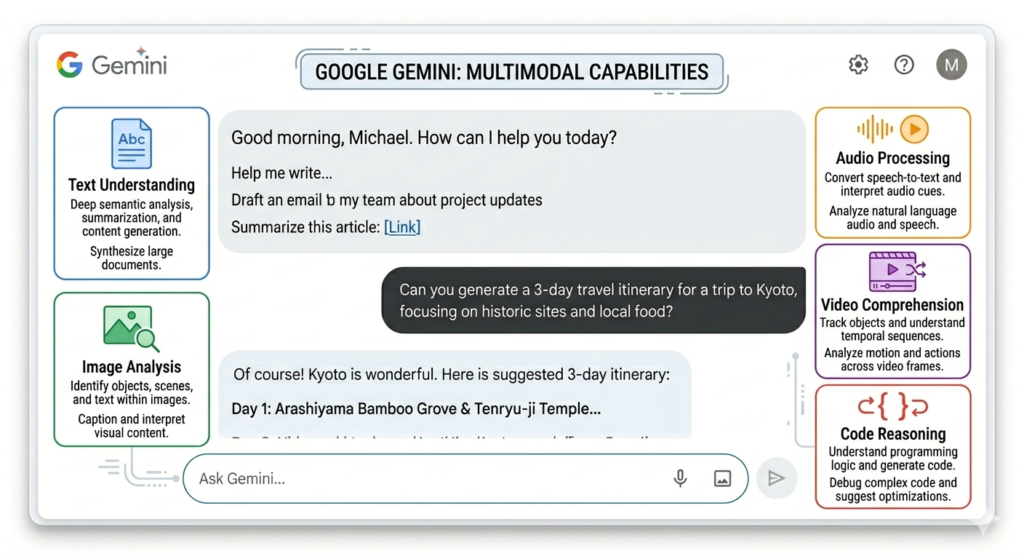
Google Gemini AI is a multimodal artificial intelligence model developed by Google. It is designed to understand and process multiple forms of information, including:
- Text
- Images
- Audio
- Video
- Code
Unlike traditional AI chatbots that primarily focus on text, Gemini can analyze different types of content simultaneously, making it more versatile for real-world tasks.
Gemini powers several Google products and services, including:
- Google Search
- Gmail
- Google Docs
- Google Workspace
- Android devices
- Google Cloud
Its goal is to act as a smart AI assistant that helps users work, learn, create, and solve problems more efficiently.
If you want to understand the technology behind Google’s AI model, check out our guide on how Gemini AI actually works.
Evolution of Google Gemini
Google’s AI journey has evolved significantly over the years.
| Year | Development |
|---|---|
| 2017 | Google introduced the Transformer architecture |
| 2023 | Google Bard launched publicly |
| 2024 | Bard rebranded as Gemini |
| 2025-2026 | Advanced Gemini models integrated across Google’s ecosystem |
This evolution demonstrates Google’s commitment to building more capable and useful AI systems.
Key Features of Google Gemini AI
1. Multimodal Understanding
One of Gemini’s biggest strengths is its ability to process multiple content formats.
For example, you can:
- Upload an image and ask questions about it
- Analyze charts and graphs
- Interpret screenshots
- Understand videos and audio files
- Generate text from visual inputs
This makes Gemini more flexible than many traditional AI tools.
2. Deep Google Ecosystem Integration
Gemini works seamlessly with Google’s ecosystem.
Users can leverage AI inside:
- Gmail
- Google Sheets
- Google Docs
- Google Slides
- Google Meet
- Google Drive
This integration allows users to perform tasks without switching between multipl
e tools.
3. Advanced Reasoning
Gemini is designed to handle complex reasoning tasks such as:
- Solving problems
- Research assistance
- Data interpretation
- Logical analysis
- Content summarization
It can break down complicated topics into easy-to-understand explanations.
4. Coding Assistance
Developers can use Gemini for:
- Writing code
- Debugging programs
- Explaining code snippets
- Learning programming concepts
- Generating scripts
Popular programming languages supported include:
- Python
- JavaScript
- Java
- C++
- PHP
- SQL
5. Long Context Window
Gemini can process large amounts of information in a single conversation.
This helps users:
- Analyze lengthy documents
- Summarize reports
- Review research papers
- Work with extensive datasets
6. Real-Time Information Access
Because of Google’s search infrastructure, Gemini can often provide more up-to-date information compared to AI models that rely only on training data.
This is particularly useful for:
- News research
- Market trends
- Current events
- Recent developments
How Google Gemini Works
Gemini uses large language models (LLMs) combined with multimodal AI systems
The process generally works like this:
- User enters a prompt.
- Gemini analyzes the request.
- Relevant context is gathered.
- The model generates a response.
- Results are refined for accuracy and relevance.
This enables Gemini to deliver natural and context-aware responses.
Real-World Uses of Google Gemini AI
Content Creation
Bloggers and writers use Gemini to:
- Generate article ideas
- Create outlines
- Draft content
- Improve readability
- Rewrite paragraphs
Example:
A blogger can ask Gemini to generate 50 low-competition blog topic ideas within seconds.
Student Learning
Students can use Gemini for:
- Homework assistance
- Research summaries
- Exam preparation
- Concept explanations
- Language learning
Example:
A student studying biology can upload a diagram and ask Gemini to explain each part.
Business Productivity
Businesses use Gemini for:
- Meeting summaries
- Email drafting
- Workflow automation
- Customer support
- Data analysis
Example:
A manager can summarize a long meeting transcript into key action points.
Software Development
Developers use Gemini for:
- Code generation
- Debugging
- Documentation
- API explanations
- Learning new frameworks
Marketing
Digital marketers use Gemini to:
- Generate ad copy
- Create social media posts
- Conduct keyword research
- Analyze competitors
- Improve SEO strategies
Google Gemini Plans and Pricing
Google offers both free and premium options.
| Plan | Best For |
|---|---|
| Free Version | Casual users and beginners |
| Gemini Advanced | Professionals and power users |
| Workspace Integration | Businesses and teams |
Premium plans typically provide:
- More powerful AI models
- Better reasoning capabilities
- Higher usage limits
- Enhanced productivity tools
Pricing may change over time based on Google’s offerings.
Before upgrading to premium features, read our detailed Gemini Pro Guide for Beginners to understand whether the paid version is worth it.
Advantages of Google Gemini AI
Strong Google Integration
Gemini naturally fits into workflows already using Google products.
Excellent Multimodal Capabilities
Users can interact using text, images, videos, and documents.
Productivity Enhancement
Tasks that normally take hours can often be completed in minutes.
Research Support
Gemini helps users gather and summarize information quickly.
Continuous Improvement
Google regularly updates Gemini with new capabilities and performance improvements.
Limitations of Google Gemini AI
Despite its strengths, Gemini is not perfect.
Occasional Inaccuracies
Like all AI systems, Gemini can sometimes generate incorrect information.
Requires Fact-Checking
Important information should always be verified through trusted sources.
Premium Features Cost Money
Some advanced capabilities require a paid subscription.
Context Errors
In complex conversations, misunderstandings can occasionally occur.
Understanding these limitations helps users use AI more effectively.
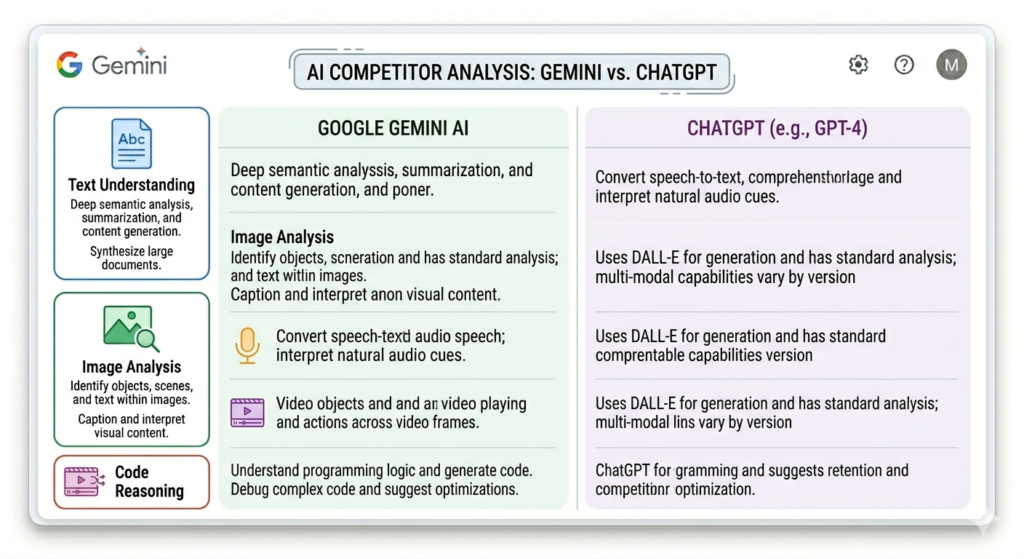
Google Gemini vs ChatGPT: Complete Comparison
One of the most common questions users ask is:
“Should I use Gemini or ChatGPT?”
The answer depends on your needs.
Quick Comparison Table
| Feature | Google Gemini | ChatGPT |
|---|---|---|
| Developer | OpenAI | |
| Multimodal Support | Excellent | Excellent |
| Google Integration | Strong | Limited |
| Writing Quality | Very Good | Excellent |
| Coding Assistance | Very Good | Excellent |
| Research Tasks | Strong | Strong |
| Custom GPTs | Limited | Available |
| Search Integration | Native Google Ecosystem | Web Access Available |
| Business Tools | Workspace Focused | Broad Productivity Focus |
For bloggers and content creators, this ChatGPT vs Google Gemini Blogging Comparison provides a deeper analysis of both AI tools.
Content Writing
For blogging and long-form content:
ChatGPT often provides:
- Better structure
- More natural flow
- Strong storytelling
- Improved readability
Many bloggers prefer ChatGPT for article creation.
Research and Search
Gemini benefits from Google’s search ecosystem.
This can make it useful for:
- Information gathering
- Quick research
- Discovering current topics
Coding
Both tools perform well for coding.
However, many developers prefer ChatGPT because of:
- Better explanations
- More coding examples
- Extensive programming support
Productivity
Gemini has a major advantage for users heavily invested in:
- Gmail
- Docs
- Sheets
- Workspace
ChatGPT excels when users want a standalone AI assistant for diverse tasks.
Which Is Better: Gemini or ChatGPT?
The better choice depends on your goals.
Choose Google Gemini If:
- You use Google Workspace daily.
- You rely on Gmail and Docs.
- You want strong multimodal capabilities.
- You prefer Google’s ecosystem.
Choose ChatGPT If:
- You create blog content regularly.
- You need detailed writing assistance.
- You want advanced coding help.
- You use custom AI workflows.
Best Approach
Many professionals use both tools together.
For example:
- Use Gemini for research.
- Use ChatGPT for content creation.
- Use both for productivity and brainstorming.
This combination often delivers the best results.
Practical Example: Blogger Workflow
Let’s consider a blogging workflow.
Step 1: Topic Research
Use Gemini to identify trending topics and gather information.
Step 2: Outline Creation
Generate a detailed article structure.
Step 3: Content Writing
Use ChatGPT to create engaging long-form content.
Step 4: Editing
Refine readability and improve clarity.
Step 5: SEO Optimization
Optimize headings, keywords, meta descriptions, and internal linking.
This workflow can significantly improve content production efficiency.
Best Practices for Using Google Gemini
Write Clear Prompts
Specific prompts produce better results.
Instead of:
“Write about AI.”
Try:
“Write a beginner-friendly guide explaining how AI helps bloggers create content.”
Verify Important Information
Always cross-check:
- Statistics
- Medical information
- Financial advice
- Legal guidance
Use Follow-Up Questions
Refining responses often improves output quality.
Combine Human Judgment with AI
AI works best when combined with human expertise and critical thinking.
Future of Google Gemini AI
Google continues investing heavily in artificial intelligence.
Future improvements may include:
- Better reasoning
- Faster responses
- Improved personalization
- Enhanced multimodal capabilities
- Deeper integration across Google services
As AI technology advances, Gemini will likely become an even more powerful productivity and knowledge assistant.
Google continues to improve its AI models, and the latest Google Gemini 3 Updates showcase several new features and enhancements.
Frequently Asked Questions (FAQ)
What is Google Gemini AI?
Google Gemini AI is a multimodal artificial intelligence model developed by Google that can understand text, images, audio, video, and code.
Is Google Gemini free to use?
Yes, Google offers a free version of Gemini, while advanced features are available through premium plans.
Is Gemini better than ChatGPT?
Neither tool is universally better. Gemini excels in Google ecosystem integration, while ChatGPT is often preferred for writing, creativity, and coding assistance.
Can Gemini write blog posts?
Yes, Gemini can generate blog outlines, article drafts, content ideas, and SEO-friendly content.
Does Gemini have internet access?
Gemini can leverage Google’s infrastructure to provide more current information compared to many traditional AI systems.
Can Gemini analyze images?
Yes, Gemini supports image understanding and can answer questions about uploaded visuals.
Is Gemini useful for students?
Absolutely. Students can use Gemini for research, explanations, study assistance, and learning support.
Can Gemini generate code?
Yes, Gemini can write, explain, debug, and optimize code in multiple programming languages.
Is Gemini safe to use?
Google includes various safety measures, but users should still verify important information independently.
Should bloggers use Gemini or ChatGPT?
Many bloggers benefit from using both. Gemini is excellent for research, while ChatGPT often excels at long-form content creation.
Conclusion
Google Gemini AI has quickly become one of the most powerful artificial intelligence platforms available today. Its multimodal capabilities, strong Google integration, advanced reasoning, and productivity-focused features make it a valuable tool for students, professionals, developers, marketers, and businesses.
While ChatGPT remains a leading choice for content creation, coding assistance, and conversational AI, Gemini offers unique advantages through its connection to Google’s ecosystem and search infrastructure.
Ultimately, the best solution depends on your specific needs. If you work heavily within Google Workspace, Gemini can significantly boost productivity. If your focus is content creation, creative writing, and advanced conversational assistance, ChatGPT may be the stronger option
For many users, combining both tools creates the most powerful AI workflow—leveraging Gemini’s research strengths alongside ChatGPT’s writing and problem-solving capabilities. As AI continues to evolve throughout 2026 and beyond, both platforms are expected to play an increasingly important role in how we work, learn, and create online.